Digital product · Docker stack + guide
Private AI Starter Pack
Your own ChatGPT-style assistant, over your own documents, on your own machine. No monthly AI subscription.
Ollama + AnythingLLM, pre-wired with Docker, a step-by-step guide, and scripts that install, back up and update it for you. Your documents never leave your computer in the default configuration.
$29
Buy — not live yet
Checkout opens soon. The buy button is disabled and takes no payment until a real checkout link is added. Creem is the merchant of record and handles payment and tax. Delivery is an instant digital download after purchase; no setup service is included.
What you get
- A ready-to-run Docker Compose stack (local PC profile + VPS profile with HTTPS via Caddy and basic auth), with pinned, verified versions.
- One-command installers for Linux/macOS and Windows, plus backup, restore and update scripts — all idempotent, no telemetry added.
- A PDF guide: requirements, setup for both profiles, adding documents, choosing models, security hardening, backup and restore, troubleshooting with real error messages, and FAQ.
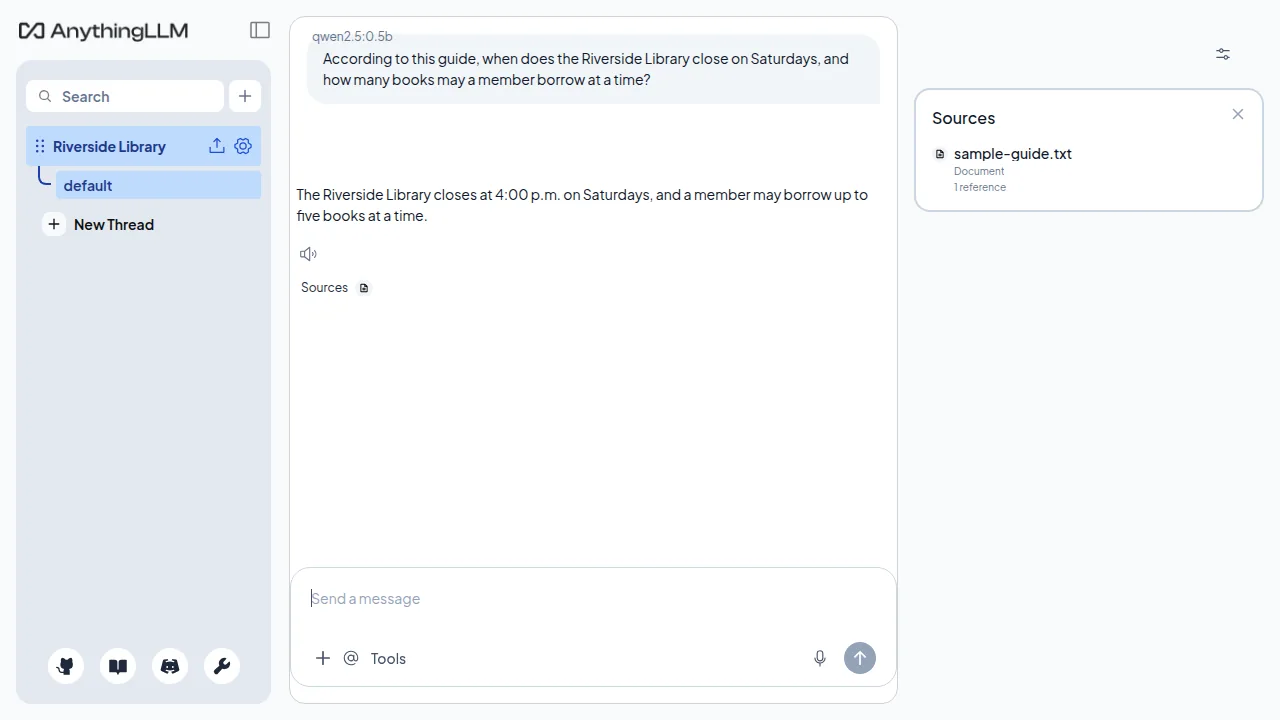
- A sample document with a test question, so you can prove document Q&A works in ten minutes.
- Third-party licences and attribution, and a plain-English buyer licence.
Pinned versions in this kit (v1.0.1): Ollama 0.40.13, AnythingLLM 1.19.0, and Caddy 2.11.7-alpine for the VPS profile.
Why this, why now
- Private by design. Chats and document search run on your hardware. After the first download, no document needs to go to a cloud AI provider.
- No subscription to keep it running. The software is free and open source; you pay once for this kit, not monthly for the AI.
- Document Q&A, not just chat. Upload PDFs, text and docs, embed them, and ask questions that are answered from your files, with citations back to them.
- Two ways to run it. On your PC for personal use, or on a VPS behind HTTPS + basic auth if you need it from anywhere.
- GPU optional, not required. Tested on a CPU-only Linux VM with qwen2.5:0.5b; llama3.2:3b (the default) is ~2 GB and is expected to run on CPU, more slowly. A GPU profile is included for bigger models, but it has not yet been tested on an NVIDIA GPU (see the testing note below).
- Backups you can actually restore. One script, one folder, tested restore steps in the guide.
Requirements — so nobody buys the wrong thing
- Docker + Docker Compose v2 (Docker Desktop on Windows/Mac).
- Local CPU: 8 GB RAM minimum (default 3B model), 16 GB for 7–8B models, ~10 GB free disk.
- Optional GPU: NVIDIA GPU + NVIDIA Container Toolkit.
- VPS: 2 vCPU, 8 GB RAM, a domain name, ports 80/443 open.
- Internet for the first download only.
How it works (3 steps)
- Run the installer. It pulls the pinned images and a small model.
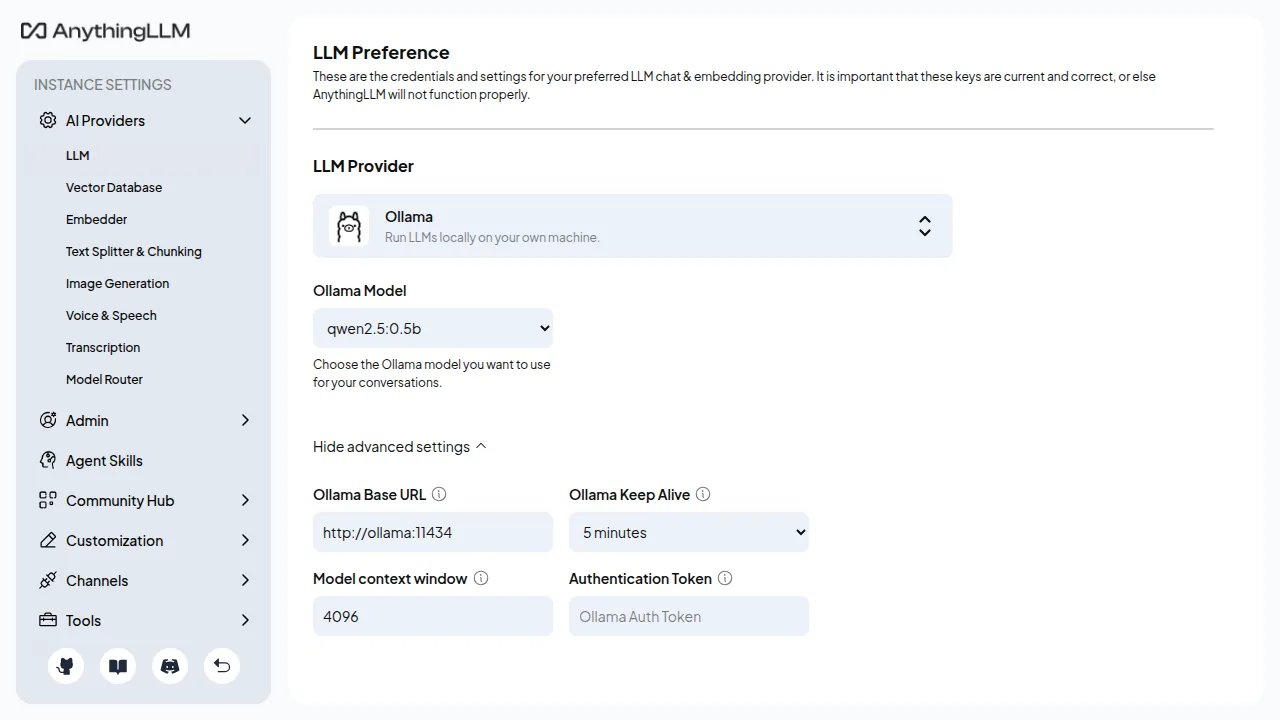
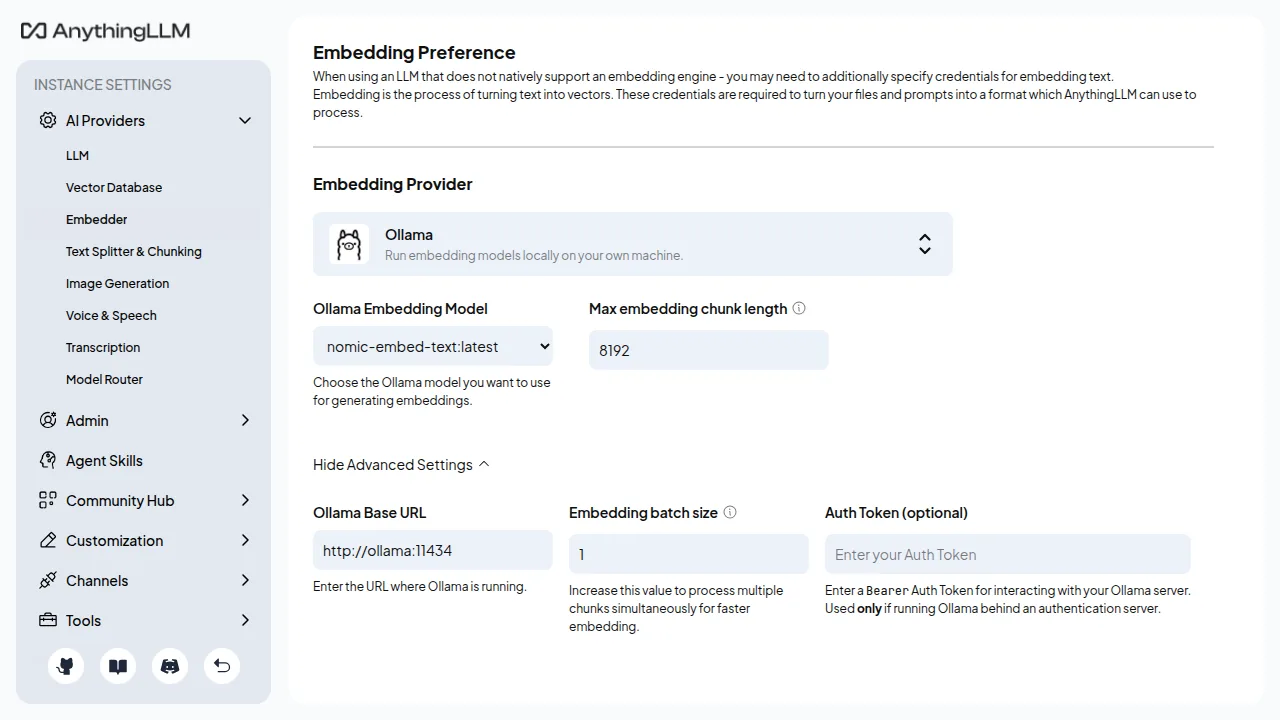
- Open AnythingLLM, pick Ollama, upload your documents, embed them.
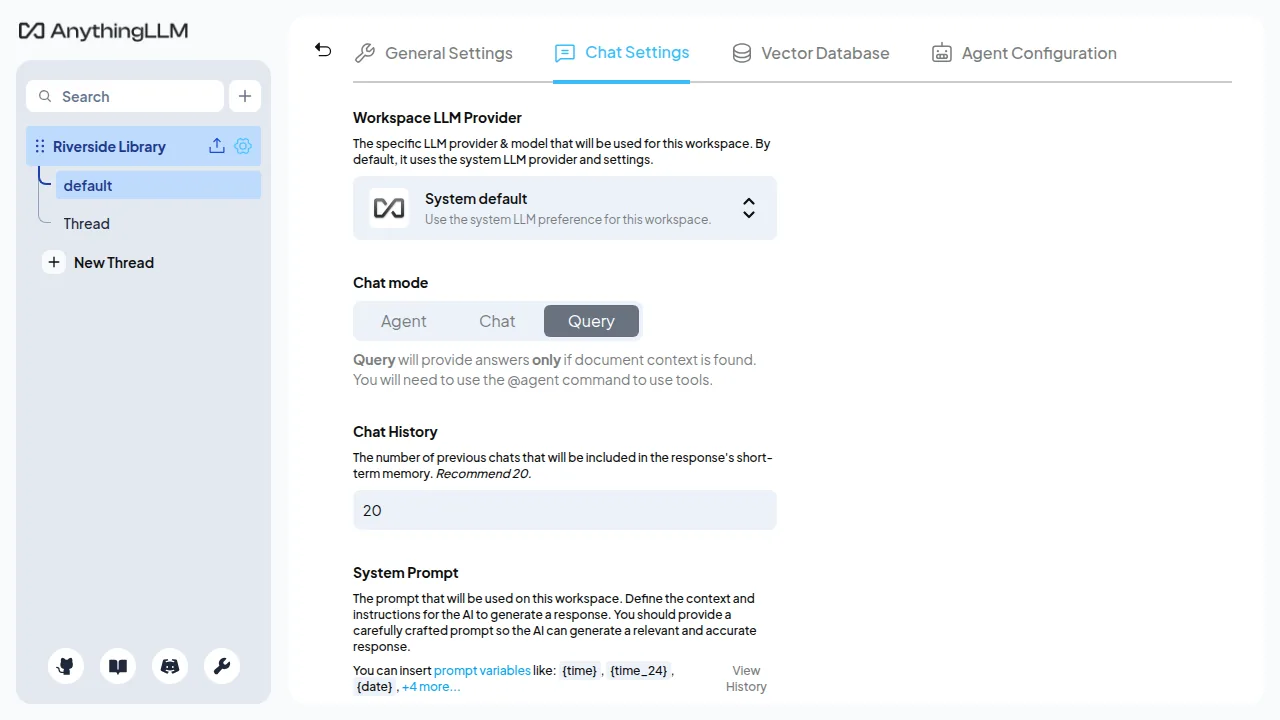
- Ask questions in a workspace chat. Answers come from your files.
Questions
Is this ChatGPT?
No. It is a private assistant that looks and feels similar, running open models on your hardware. A 3B model is fast and private, but it is not as capable as a frontier cloud model — the guide is honest about where small models struggle, and how to step up to 7–8B models.
Do my documents go to OpenAI, Google, or anyone else?
No, in the default configuration. Models and documents stay local. If you later connect a cloud provider inside AnythingLLM yourself, that provider's terms apply — the kit does not do that for you.
Do I pay for Ollama or AnythingLLM?
No. They are free, open-source software (both MIT). You pay for this kit and guide only. See Third-party licences below.
What if it doesn't install?
Check the guide's Troubleshooting section first — it lists the real errors (Docker not running, port in use, GPU driver missing, Caddy certificate failure) and the fix for each. Contact the seller with the exact error message.
Can I use it for my business?
Yes — personal and commercial use of the kit is allowed. Model licences are separate: check a model's licence (for example, Llama's community licence) before commercial use.
Can I share or resell the kit?
No. The buyer licence allows personal and commercial use, not redistribution of the kit itself.
Honest testing note — read this before you buy
What was actually tested (v1.0.1, 30 October 2026, Linux VM, Ubuntu 24.04.5, Docker 29.1.3, Docker Compose 2.40.3): the local CPU install, both containers healthy (Ollama 0.40.13, AnythingLLM 1.19.0), a small chat model and nomic-embed-text pulled, the sample document embedded, and the sample question answered from that file — “The Riverside Library closes at 4:00 p.m. on Saturdays, and a member may borrow up to five books at a time” — with a citation. Backup, restore and update were run and passed. The local install passed on its second run, after a VM-only firewall workaround; the first run failed at the model pull with a TCP timeout. In that test, Ollama was not published on the host and AnythingLLM was bound to 127.0.0.1:3001 only.
The test used qwen2.5:0.5b, not the default model. The kit default in .env.example is still llama3.2:3b. That default model was not downloaded or run in the test.
Not tested:
- Windows — install.ps1 was parse-checked and run with -SkipModels under PowerShell 7 on Linux, not on Windows Docker Desktop.
- macOS.
- NVIDIA GPU — the GPU override was config-checked only (docker compose config); no GPU was on the test VM, and the GPU profile was not started.
- A real domain with TLS (the VPS/Caddy profile) — the VPS compose file was validated and Caddy started with a dummy domain (ai.example.com); a public certificate was not issued, because that domain does not point to the test machine, and a browser login through Caddy on the public internet was not tested. Basic auth itself was checked with a throwaway container (401 without a password, 200 with the correct password, 401 with a wrong password).
- The default 3B model, llama3.2:3b (see above).
- Flipping Password Protection on in the UI, multi-user mode, and AnythingLLM rejecting http://localhost:11434.
Guide note: the PDF guide in the kit is still the v1.0.0 file. Where it disagrees with the README and the test report, follow the README and the test report — in particular, AnythingLLM 1.19 with the provider set in the environment opens straight into the app with no first-run password wizard; turn on Settings → Security → Password Protection and save a password. Until that switch is on, anyone who can open 127.0.0.1:3001 on that machine can read the workspaces.
Buyers should still run the sample-document test on their own machine before relying on the stack for important work — that is the proof it works on their hardware.
Licence and third-party licences
Kit licence: personal and commercial use allowed. You may modify the configuration and scripts for your own use. You may not redistribute, resell, share, publish, upload, or give away the kit itself, in whole or in part, free or paid. Do not remove attribution or licence notices, and do not claim you wrote Ollama, AnythingLLM, or Caddy, or that this kit is an official product of those projects. It is not. The kit is provided “as is”, without warranty.
You pay for the kit and guide, not for the open-source software. Ollama is MIT, AnythingLLM is MIT, and Caddy is Apache-2.0. Nothing in this kit charges you for them, and nothing in it transfers ownership of them to you. If you already have them installed, you do not need this kit to use them — the kit saves you the assembly, configuration and troubleshooting time.
Models are separate: a model is not the same as the software that runs it. The default chat model, llama3.2:3b, is a Meta Llama model under Meta's Llama Community License, not MIT. The embedding model, nomic-embed-text, and any other model you choose each have their own licence — check it before commercial use. This summary is attribution, not legal advice; the project licence governs your use of that software.
AI-assisted creation
This kit and guide were created with AI assistance. The author checked the pinned versions, licences, image names, env-var names and compose syntax against the official sources on 30 October 2026, and recorded what could not be run in the kit's test report.
Purchase details
Seller: StackGuide. Price: $29. Refund policy: Refunds are available within 3 days of purchase only if a file is corrupted or the product materially does not match its description. Buyers should first email [email protected] so we can send a fixed file. — see the refund policy. Creem is the merchant of record and handles payment and tax. Delivery is an instant digital download after purchase; no setup service is included. Questions: [email protected]. Also available as part of the bundle ($39).